 Business Card
How to scan a business card on iPhone
A paper card is easy to lose and tedious to type out. Your iPhone can already read it — here is the free built-in way, and the faster way when you collect more than a few cards.
Updated
Free, with apps already on your iPhone
Use the Camera and Live Text
Live Text is built into iOS 15 and later on iPhone XS, XR and newer.
- Open the Photos app with a photo of the card, or point the Camera at it.
- Tap the Live Text button, then touch and hold a phone number or email address.
- Tap Copy or the phone number to call, then paste the details into a new contact by hand.
Good for one card. Nothing is saved as a card, each field has to be copied separately, and there is no list to search later.
With Business Card
Use Business Card
Business Card uses the document camera and Apple's on-device Vision OCR, then keeps each card in a searchable list.
- Tap + on the home screen and choose Business Card Scan Camera, or pick a photo from the library.
- Hold the iPhone over the card. The document camera finds the edges and crops it for you.
- Review the recognized fields: name, phone, email and website are picked out automatically; add a position, company or note if you need them.
- Tap Save Card. The front and back photos stay with the contact.
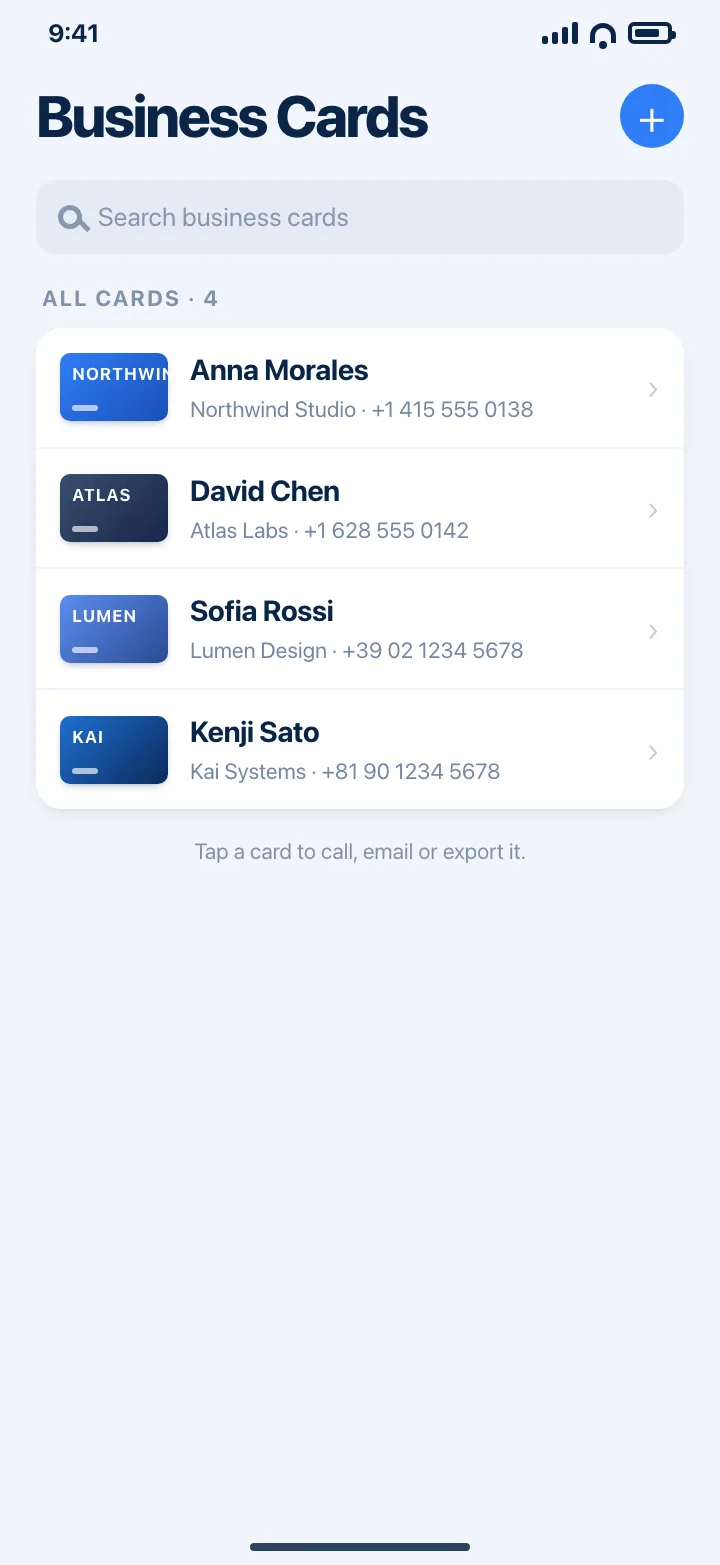
Recognition happens on your device. Three cards are free; Premium removes the limit and adds iCloud sync and app lock.
Download on theApp StoreTips
- Put the card on a darker surface than the paper so the edges are found quickly.
- Use even light from the side and avoid your own shadow over the card.
- Scan both sides if the back carries a second phone number or a QR code.
Questions
Is there a free business card scanner on iPhone?
Yes. Live Text in the Camera and Photos apps reads text for free, and Business Card lets you scan and save three cards without paying.
Does OCR upload my cards?
No. Business Card uses Apple's Vision framework on the device, so the card is read on your iPhone or iPad.
Can I scan a card someone sent me as a photo?
Yes. Choose Photo Library instead of the camera and the same cropping and recognition apply.